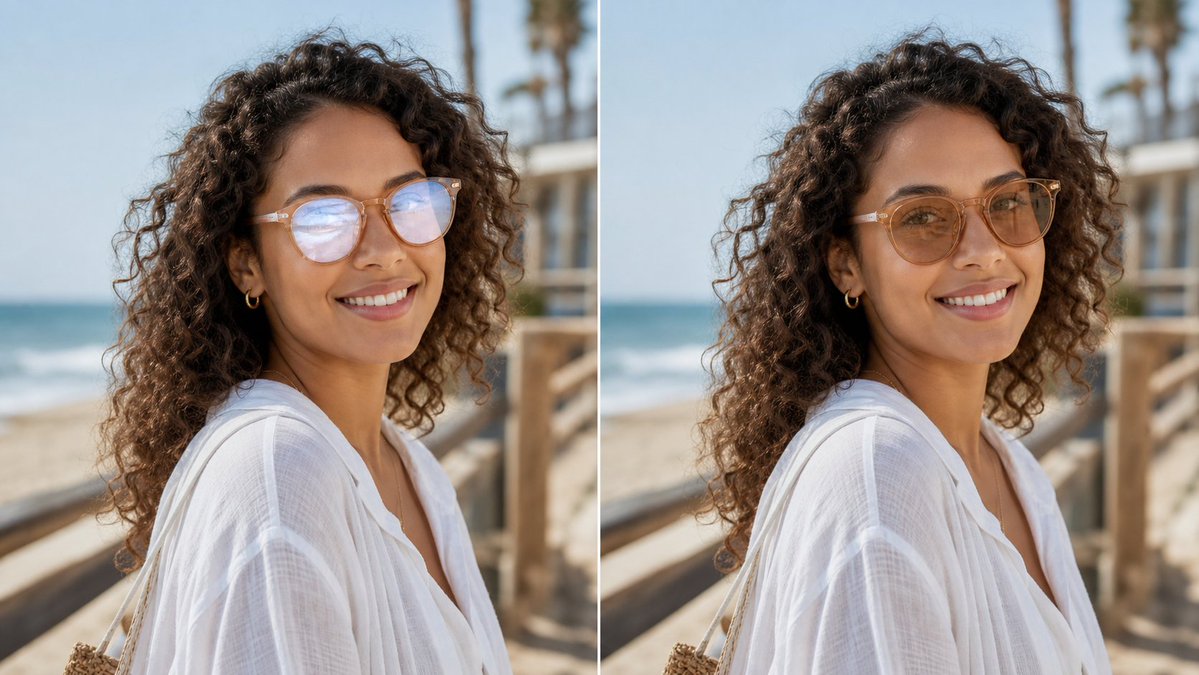
眼镜反光去除对比
GPT Image 2 提示词GPT Image2提示词GPT Image 2 提示词案例AI提示词案例AI图片生成提示词案例AI绘画提示词案例OpenAI图像生成提示词ChatGPT画图提示词
Full GPT Image 2 Prompt
Create a realistic side-by-side before-and-after comparison image showing the same outdoor portrait in two vertical panels separated by a thin white divider. The subject is {argument name="subject description" default="a woman with long dark curly hair wearing a loose white linen beach blouse, small gold hoop earrings, and light-framed eyeglasses"}, photographed from the shoulders up in three-quarter profile on a sunny beach boardwalk. The background shows ocean waves on the left, pale blue sky, wooden railings, and softly blurred palm trees, with shallow depth of field and natural warm daylight. Use exactly 2 panels: left panel is the original portrait with visible glasses glare/reflections partially obscuring the eyes, and right panel is the edited version where the glare has been removed and the eyes look natural while the face shape, pose, hair, clothing, lighting, and background remain unchanged. Add no labels or captions. Preserve photorealistic texture in the curls, translucent white fabric, skin tones, and beach environment. Keep the composition cropped horizontally like a social media comparison image, with the subject centered across both panels and the edit looking subtle and trustworthy for a profile photo. Use {argument name="image ratio" default="16:9 landscape"}, {argument name="setting" default="sunny beach boardwalk"}, and {argument name="edit goal" default="remove eyeglasses glare without changing the face"}.